Create an invoice or receipt
An issued document cannot be saved back as a draft. If saving from an older editor is refused, reopen the document from the income list and check its status before another action.
Before you start, have the customer details, date, description of the work or products, and amounts ready. Available document types depend on your business settings.
Need an allocation number? Connect the business to the Tax Authority using the Israel Invoice connection guide. It also explains how to renew an expired connection and what to do when something goes wrong.
Choose the screen you use for SmartBill:
You can view imported income history and customers before setting up invoice issuance. First-invoice setup is required when creating a new invoice or receipt, not when viewing imported records. Records imported from accounting movements are manual history: missing original files, numbers, and payment details are not invented.
- Choose Create invoice / receipt. If this is your first time, complete the document setup shown.
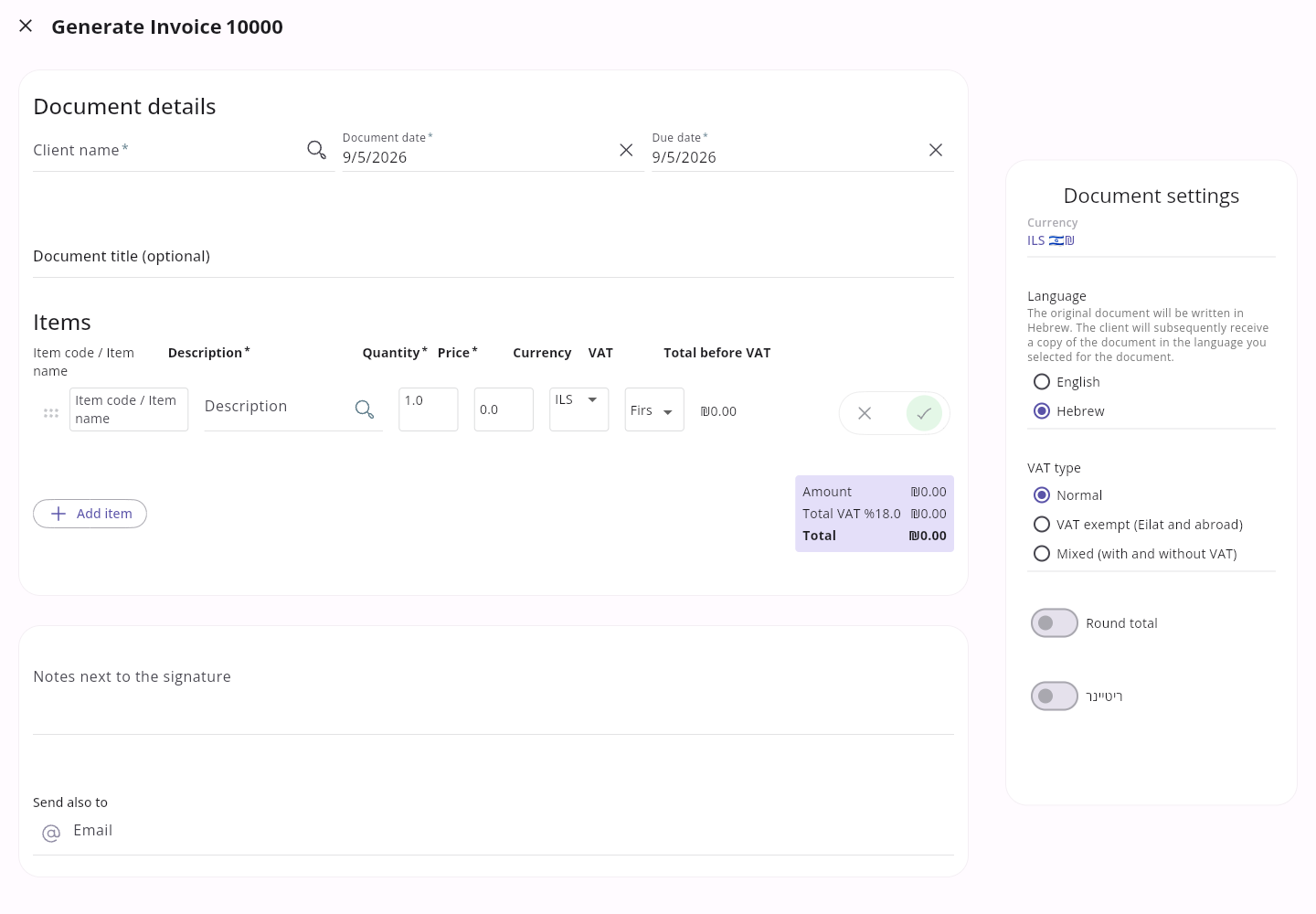
- Choose a document type and customer, then fill in the date, items, and amounts.
- If the document includes a payment, enter how it was paid and the amount received.
- To include extra files with this email, choose Attach files (optional) below the email recipients. Select files and use the remove button beside a filename to remove it.
- Check the preview. Confirm creation only after checking the details.
 Enlarge screenshot
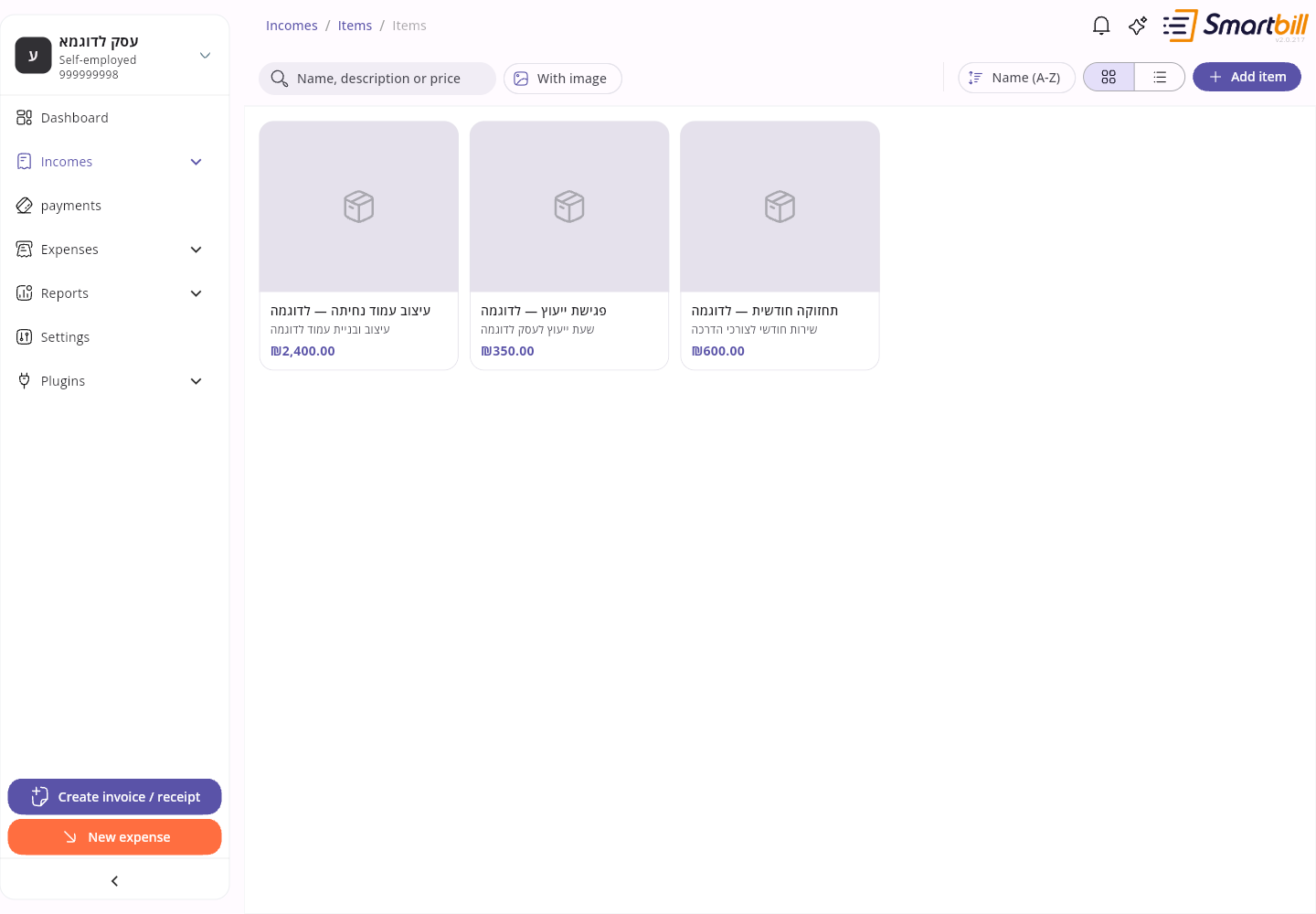
You can save services and products under Incomes → Items, then select them when filling in a document. On the items screen, search by name, description, or price, filter by With image or currency, and switch between Cards view and Table view with the toggle next to Add item. Clicking an item opens it for editing; deleting from the editor asks for confirmation.
 Enlarge screenshot
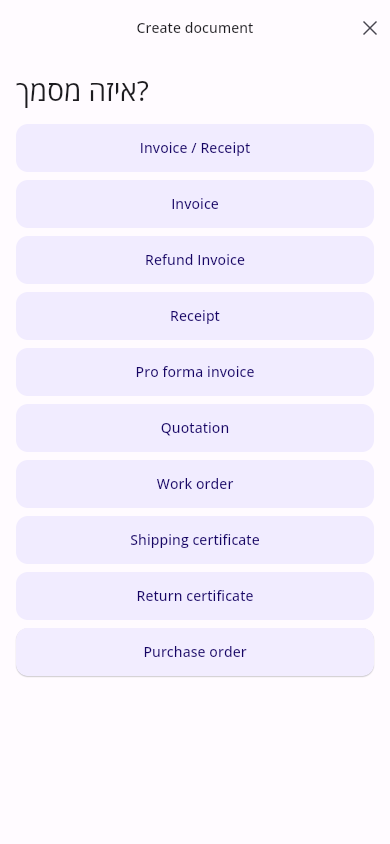
- Tap the add button and choose to create an invoice or receipt.
- Follow the steps for document type, customer, amount or items, description, and date.
- Enter the payment method, amount, and transaction date, then continue to optional payment details when shown. Choose email recipients if needed.
- On the email step, tap Attach files (optional) to select files from your device. Remove unwanted files using the button beside each filename.
- Review the approval screen before creating, then wait for the success screen.
 Enlarge screenshot
You can save services and products under Incomes → Items, then select them when filling in a document. On the items screen, search by name, description, or price, tap Filter to show only items with an image or in one currency, and use Sort by to order by name, price, or last update. Tapping an item opens it for editing.
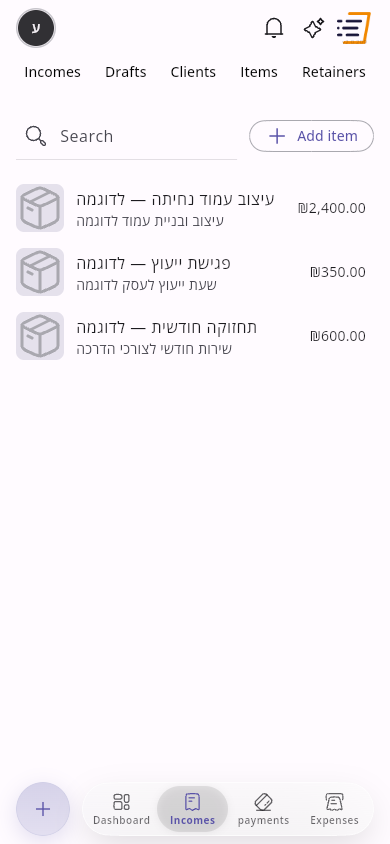 Enlarge screenshot
For a credit note, record the refund method, amount, and transaction date. Bank-transfer, cheque, card, PayPal, and payment-app entries can include optional payment details.
After selecting the customer, check currency, document language, and VAT type before entering amounts. The customer’s document defaults may have been applied; check again if you switch customers.
To exempt an individual item from VAT, select the VAT-exempt option when editing that item. You can keep the document’s normal VAT setting and combine taxable and exempt items; VAT is calculated using each item’s selection. If you make the entire document VAT exempt, all items must be exempt. If an item VAT error appears, return to that item and correct its selection before trying again.
A document discount is split proportionally across the item amounts before VAT. VAT is reduced by the taxable items’ share of the discount; exempt items remain VAT free.
One-time extra files are optional and require at least one email recipient. This option is available when creating the document directly; payment links do not support extra files. Supported formats are PDF, PNG and JPG/JPEG: up to 5 files, 5 MB per file and 10 MB combined. The invoice PDF is attached automatically. Extra files accompany the initial email (and the business copy, when enabled); they do not change the invoice PDF, appear in reminders, or carry over to drafts or future documents. If selection fails, check the format and size, remove or reduce the file, and select it again. Wait for file reading to finish before continuing.
If reusable files are configured for the selected document type, their names appear with the email attachments and they are included automatically. Saved and one-time files share the limits above. Saved files also accompany reminder emails. Manage them under Document settings → Client mailing, as explained in Download and share a document.
If you did not see confirmation, first look for the document in the income list before trying again. If you are unsure which document type to choose, check with your accountant.
If creation is rejected because of the document details, the error explains what to correct: for example an earlier or future date, a payment amount that does not match the document total, or a particular item’s VAT setting. Correct the indicated detail before trying again.
If you have already created all the documents your plan includes for the month, SmartBill shows how many you have used out of the monthly allowance instead of creating the document. Choose Upgrade plan to move to a plan with more documents per month, or Cancel to go back without creating it.
Select several documents on the income list
Link to section: Select several documents on the income list- On the income list, long-click a document row. The filter bar stays visible while you scroll, and switches to actions when documents are selected.
- A checkbox appears on each row. Click more rows to add them to the selection.
- In the bar at the top, choose Download for the selected documents, or Create to make a document from the selection.
- Use the checkbox with the selected count to select or deselect every filtered document. Close leaves selection.
- Long-press a document. The filter bar stays in place, and download and create actions appear at the bottom of the screen.
- The preview icon on each row becomes a checkbox. Tap more rows to add them to the selection.
- Choose Download or Create in the bottom bar. You can also select all or clear the selection there.
Find open documents
Link to section: Find open documentsOn desktop, choose Only open above the income list. On mobile, open Filter and choose Open. Documents remain open until they are closed, including older open documents. A document closed manually is excluded even if it has no linked receipt.
The selected period, customer, document type, and search still apply. If an expected document is missing, clear the search and check those filters before creating another document.
Save filter views
Link to section: Save filter viewsYou can save the current income-list filters as a named view and make one view your default. Views belong to you, not the business, and are stored on your account so they follow you to another device.
- Filter the income list as needed. When the filters are not the page default, Save view appears.
- Click Save view. The name is already filled in (for example View 1); you can change it. Optionally choose Use as the default for this page, then click Save.
- To return to a saved view, click the view name or Views and choose it.
- Changing filters after selecting a view shows Unsaved changes. You can update that view or save a new one.
- From manage view you can rename, set the default, or delete.
- Filter the list, then open Filter. Saving and switching views is at the bottom of the sheet.
- When the filters are not the page default, tap Save current filters. The name is already filled in (for example View 1); you can change it. Optionally choose Use as the default for this page, then tap Save.
- To switch views, scroll to the bottom of the sheet and tap the view name.
- Manage view opens a nested sheet page. From there you can rename, set the default, or delete.
Show amounts including or excluding VAT
Link to section: Show amounts including or excluding VATOn the income list you can choose whether amounts are shown Including VAT or Excluding VAT. This changes the list and summary amounts, not the document itself. VAT-exempt businesses do not see this option.
- On the income list, open more filters (the vertical three-dot chip).
- Under Show amounts, choose Excluding VAT or Including VAT.
- If the choice is not the saved default, choose Save as default. The next visit opens with that choice.
- When the choice is already the default, the text This is the default appears.
- Clear filters restores the saved VAT display, not necessarily excluding VAT.
- On the income list, tap Filter.
- Under Show amounts, choose Excluding VAT or Including VAT.
- If the choice is not the saved default, tap Save as default.
- When the choice is already the default, This is the default appears.
- Clear filters restores the saved VAT display.
For a buyer self-invoice, use the dedicated self-invoicing workflow in the document selector.
Send a quotation for online approval
Link to section: Send a quotation for online approvalFor an online signature, or to attach files to a numbered quotation, see Quotes for customers.
For manual income and expense PCN classifications, see PCN report classifications and allocation corrections. The same choices are available on desktop and mobile.