
Add and find customers
The customer list is inside Incomes. A customer receives documents from you; suppliers belong with expenses.
Choose the screen you use for SmartBill:
- Open Incomes → Clients.
- Search by name, email, or tax ID before adding a new customer. Click a column header to sort the table.
- Choose Add client. The form opens in a side panel; fill in the details and choose Save.
- To update details, open the customer from the list and choose Edit client details.
- The customer page lists their documents with search, filters (open / closed, document type, date), sorting, and an Excel export.
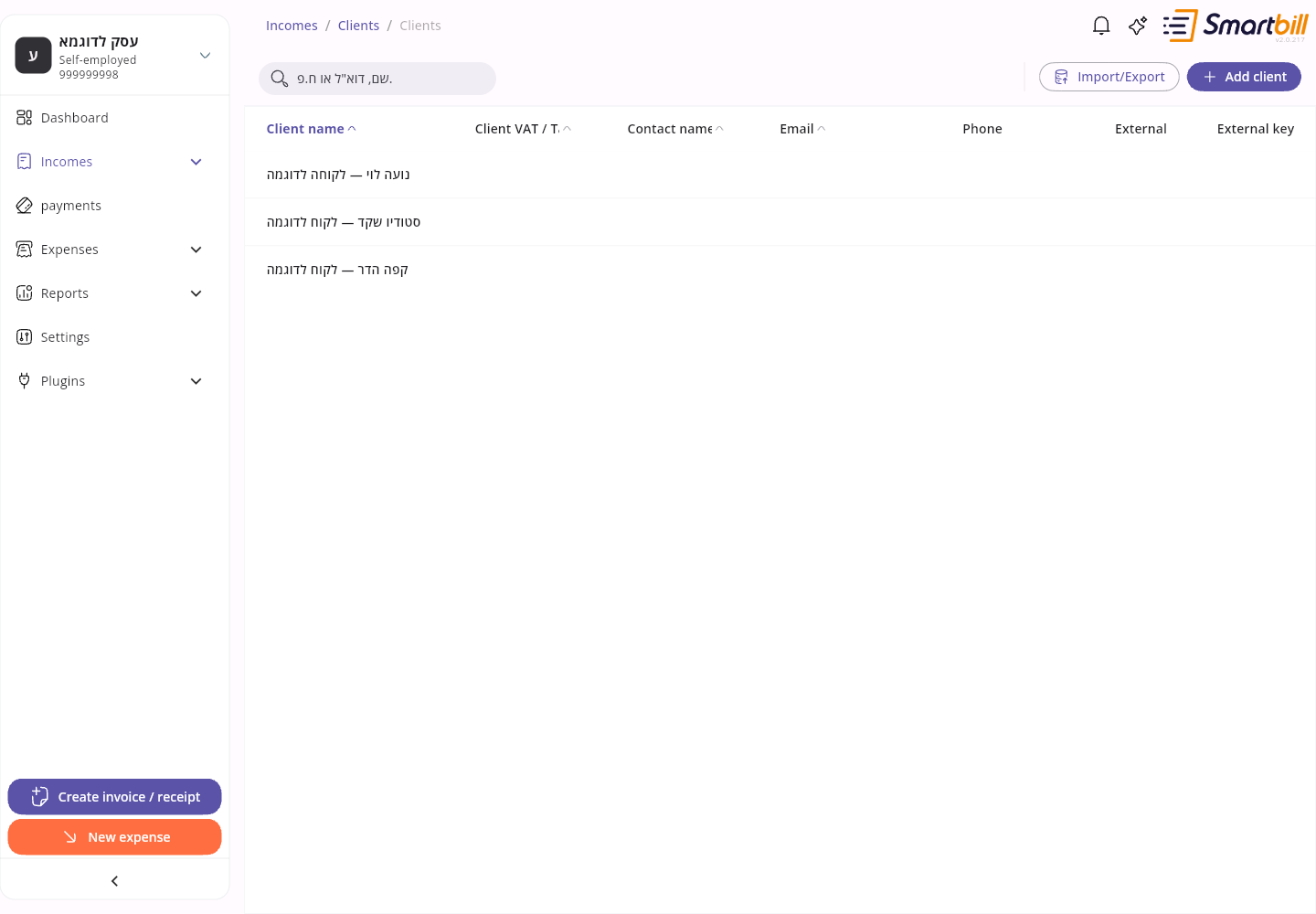 Enlarge screenshot
- Tap Incomes in the bottom navigation and open the customer list.
- Use the search field to find a customer, and the sort button to change the order.
- To add one, tap the + button next to the search field. The form opens full screen; enter the details and tap Save.
- Tapping a customer opens their page full screen, with Details, Documents, and Payments tabs. Edit from the pencil icon at the top.
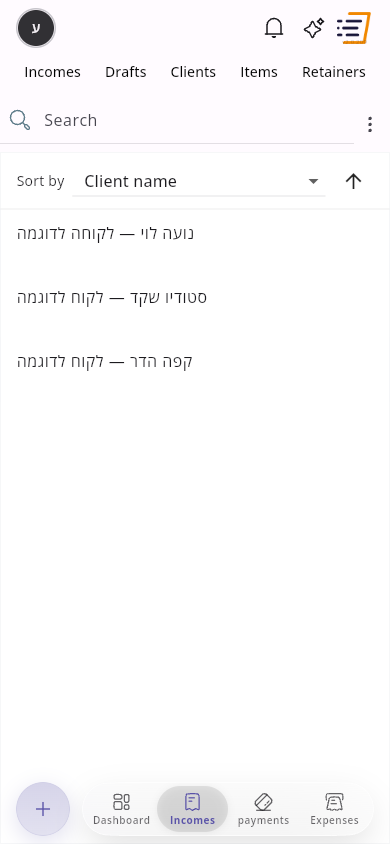 Enlarge screenshot
Check the email address carefully before sending documents. If a customer is missing, make sure you are in the right business and clear the search.
Document defaults for a customer
Link to section: Document defaults for a customerFor a customer abroad or in Eilat, the Document defaults section of the customer form lets you set options that apply automatically to every new document you open for them. Every field is optional; an empty field keeps the business default.
- VAT-free client (abroad / Eilat): documents for this customer are created without VAT.
- Default currency: for example USD or EUR.
- Document language: Hebrew or English.
Defaults apply when you select the customer; reopening a saved draft or copying a document does not apply them again. After switching customers, check the currency, language, and VAT before issuing. On desktop, priced lines with a quantity or completed payment details lock the currency and VAT type, so switching customers does not change those settings automatically.
Check the settings under Advanced Management on mobile or Document settings on desktop. If currency or VAT type is locked on desktop, clear the priced lines and payment details before changing the settings, then enter them again. Document language remains editable. If the exchange-rate lookup fails, the existing currency stays selected — check it before issuing. For a VAT-free document, SmartBill does not request an allocation number or a customer tax ID for that allocation request.