
Download and share a document
Open the document you already created to send it again. You do not need to create another document just to send a copy.
Choose the screen you use for SmartBill:
- Open Incomes and select the document.
- Check the customer, number, and date.
- Open the document actions and choose Download document when available.
- Find the file in your browser downloads and attach it to a message to the correct recipient.
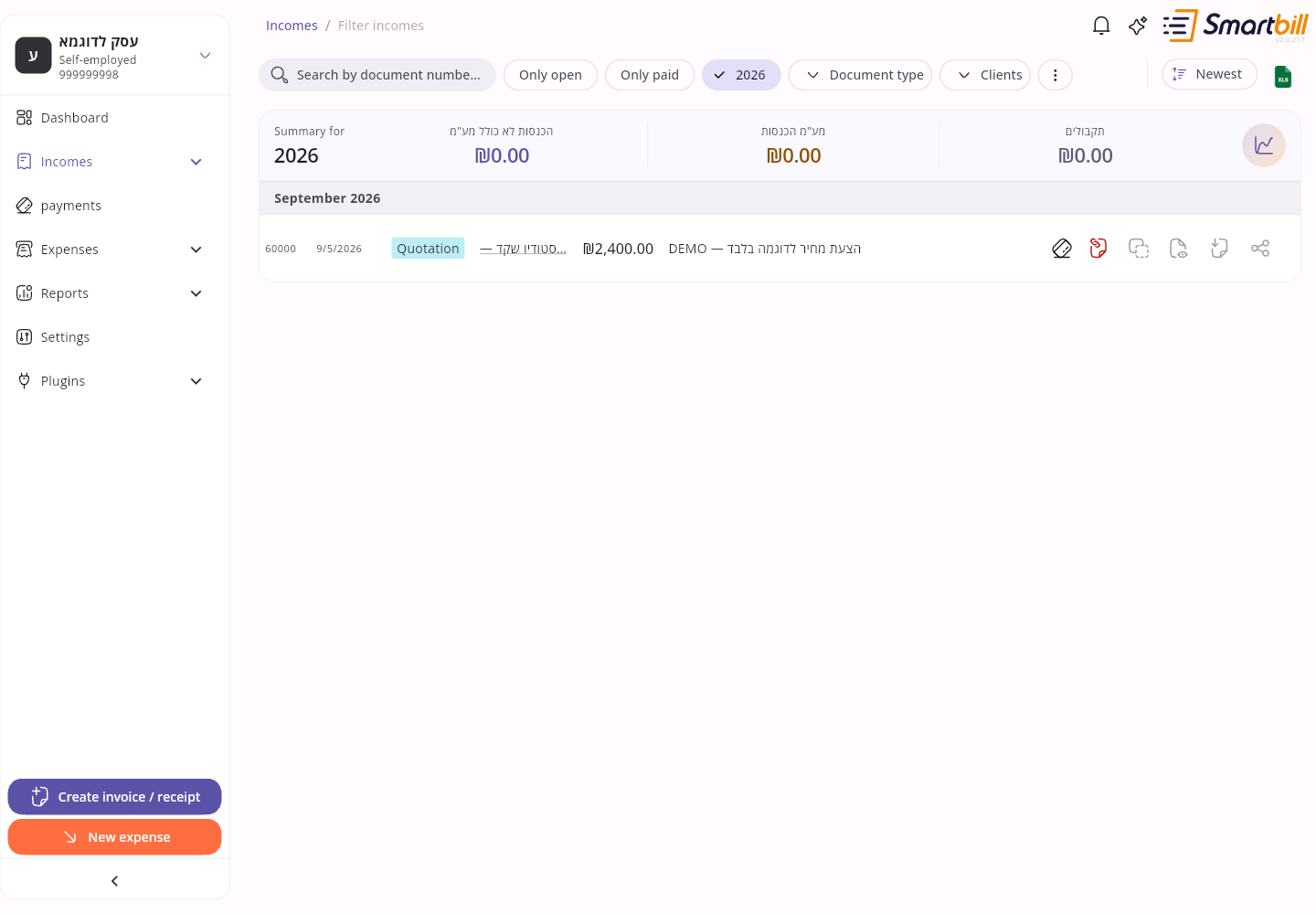 Enlarge screenshot
- Open the document from Incomes.
- Open its actions menu.
- Choose Share income document when shown.
- Choose an app and recipient in your phone’s share sheet, then finish sending there.
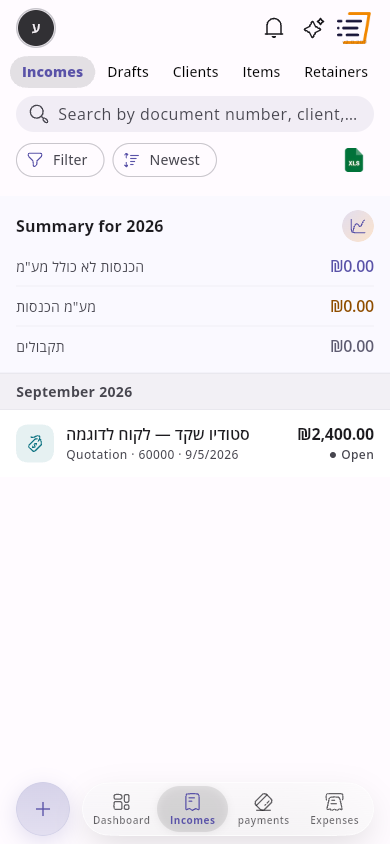 Enlarge screenshot
The recipient gets a link that opens in the browser at invoice.smartbill.co.il, with a summary of the document and a Download PDF button. No app or sign-in is needed. The link is specific to the document, so send it only to the person who should receive it.
A document still being prepared may not be ready to download immediately. Wait and open it again. Some manually recorded income documents have no attachment. The share sheet varies with your phone and installed apps.
Edit a manual income document
Link to section: Edit a manual income documentYou can edit the details of a manually uploaded or created income document, with or without a file, while the VAT period for the document date is still open. After VAT reporting (including extract to invoices, automatic close, or locking expenses) that period is closed and editing is hidden on the list and the document page, as it is today.
- Open the document from Incomes.
- Choose Edit income document in the action bar or menu.
- Update the details and choose Save. Wait for the save to finish.
- Open the document from Incomes.
- Tap Edit income document in the actions menu.
- Update the details and tap Save. Wait for the save to finish.
For a self-invoice, check the supplier instead of a customer. Its actions include download/share and the dedicated self-invoice workflow for paired credits and recovery. The shared page also identifies the supplier.
Linked documents and credits
Link to section: Linked documents and creditsThe document page lists the documents linked to it under Linked documents. Tap one to open it: a tax credit invoice shows the invoice it credits, and the invoice shows its credit.
When a tax credit invoice covers the full amount of an unpaid invoice, the invoice is shown as Cancelled in the income list and on the document page, and its timeline ends with Cancelled by a credit invoice. A cancelled document has no reminder or sharing actions under Available emails; you can still download or share its PDF from the top bar. An invoice that was already paid, or an invoice-receipt, is shown as Credited once a credit invoice is linked. A partial credit leaves the invoice open with its payment status, and its timeline shows Credited by a credit invoice. Send reminder appears only while a document is open, so paid documents keep only the sharing actions.
On desktop, point at a row in the income list to highlight it together with the documents linked to it.
Next steps
Link to section: Next stepsFind your way around · Get help
Automatically attach files by document type
Link to section: Automatically attach files by document typeTo include the same terms, instructions, or other files whenever SmartBill emails a particular document type:
- Open Settings → Document settings → Client mailing. On mobile, open Settings from the navigation menu, then choose the same pages.
- Under Default email attachments by document type, select the document type. The list shows the types available for your business. VAT-exempt businesses and non-profit organizations do not see tax invoices, tax invoice-receipts, or tax credit invoices.
- Choose Attach files (optional) and select PDF, PNG, or JPG files from your browser or phone’s file picker.
- Wait for Saved successfully. The files remain listed for that type; repeat for other types as needed.
The files accompany emails sent by SmartBill, including reminders and owner copies (except documents with a payment link), alongside any one-time files. They are separate from the document PDF and are not added when you download the PDF or use another app’s share sheet. Saved and one-time attachments together allow up to 5 files, 5 MB per file, and 10 MB total.
To stop attaching a file, select its document type and use the remove button beside the filename. Wait for the save confirmation. Future emails use the updated list; emails already sent are unaffected. Stored files are deleted after pending deliveries that use them have finished. If saving fails, retry and check the list before sending a document.
If the saved-file list cannot load, choose Retry before adding or removing files.