
Find your way around
In this help center, choose Desktop or Mobile app for the device where you use SmartBill. You can read on your phone while working on your computer. Your choice stays selected between guides in the same language.
Choose the screen you use for SmartBill:
Imported income history and customers are available before invoice setup. Setup is still required when you create your first invoice or receipt.
- Use the side menu for Incomes, Payments, Expenses, Reports, and Settings.
- Open a section to see its pages, such as Incomes → Clients.
- Use the account menu to switch business or contact support.
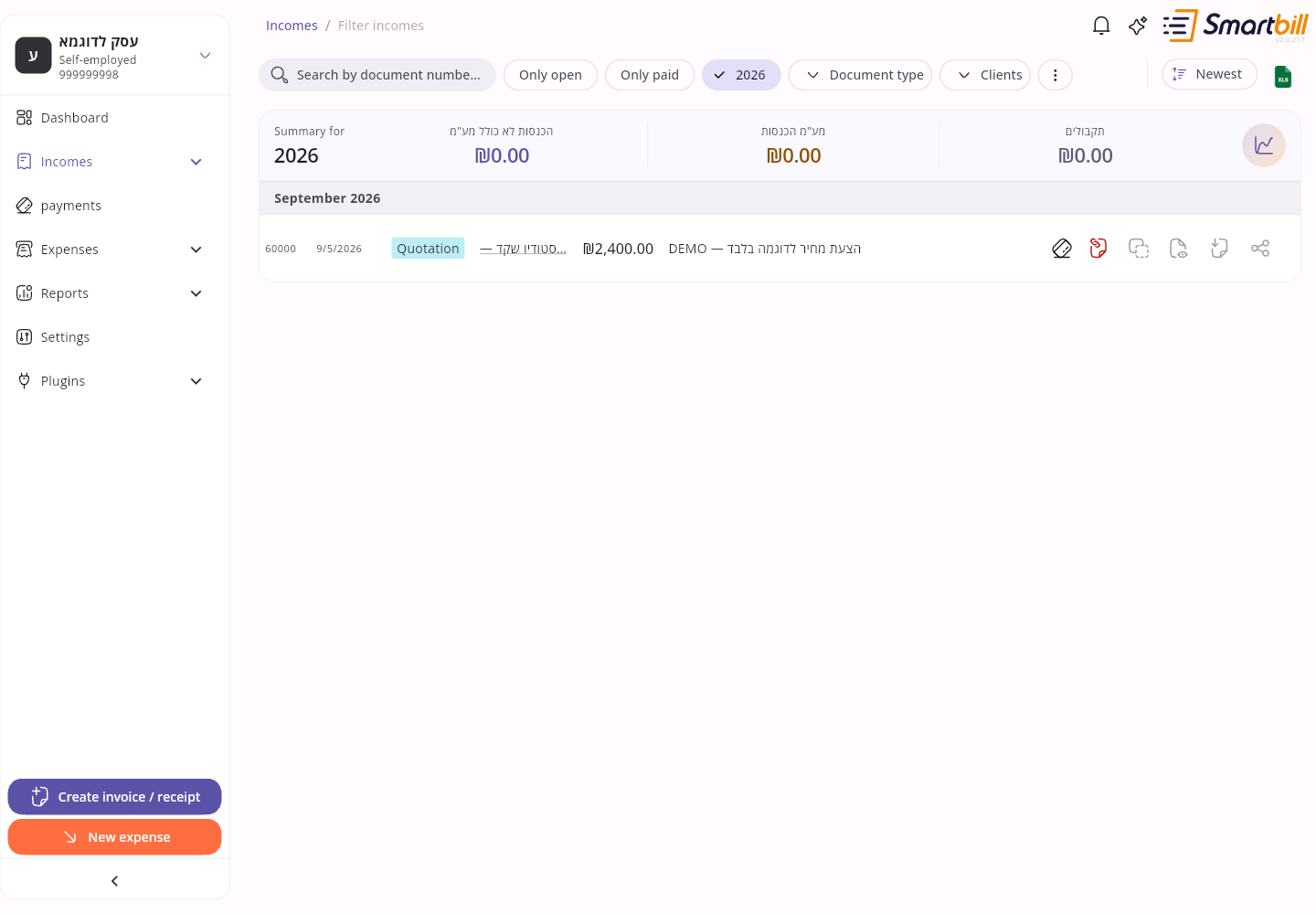 Enlarge screenshot
- Use the bottom navigation for the dashboard, income, payments, and expenses.
- Open the section you need and choose its page.
- Tap the account picture for Settings, Reports, plugins, and support. The add button opens quick actions.
- Detail pages such as a customer or supplier open full screen without the bottom navigation. Use the back arrow at the top to return to the list.
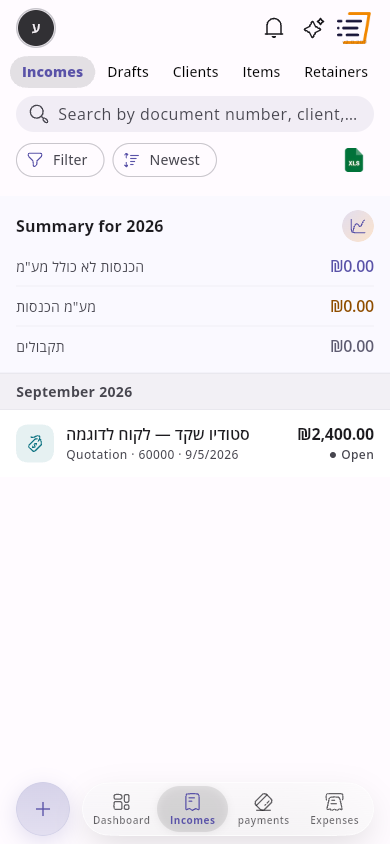 Enlarge screenshot
Menus depend on your account type, permissions, and enabled plugins. A narrow browser window may look like the mobile layout. If a button is missing, also check that screen’s actions menu.
Salaries and the employee workspace
Link to section: Salaries and the employee workspaceFor business admins with the module enabled, Salaries appears in the desktop side menu. On mobile, tap the account picture, choose Plugins, open Salaries, and choose the relevant tab. See manage employees and hours.
People invited with the Employee role use the Employee workspace: Home, Hours reporting, Absences, and My expenses. Use its side menu on desktop or its bottom navigation on mobile. See hours reporting for employees.
For tax differences, the yearly estimate, and the credit-points questionnaire: Dashboard → Tax obligations. See Tax differences, profit estimate, and credit points.
Next steps
Link to section: Next stepsFind your way around · Get help
For account questions and invoice proposals, open Settings → AI settings → AI Assistant. See Ask the AI assistant.
Find sent quotations under Incomes → Quotations for approval, with filters for customer responses. Unsent saved documents remain in Drafts. See Quotes for customers.